Making an international payment using Wise
Wise (formerly known as Transferwise) is a well regarded and widely used international money transfer service. To help facilitate your international funds payment using Wise, we have provided detailed instructions below.
1. Firstly, you will need to create a Wise account here https://wise.com/.
This only needs to be set up once.
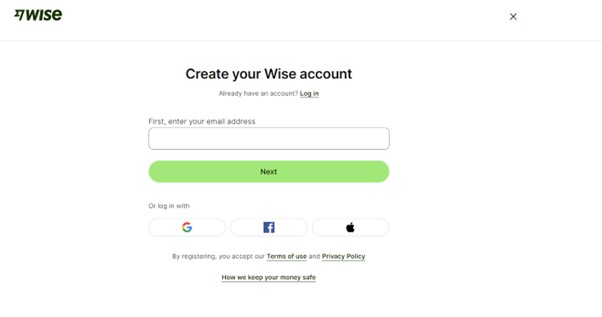
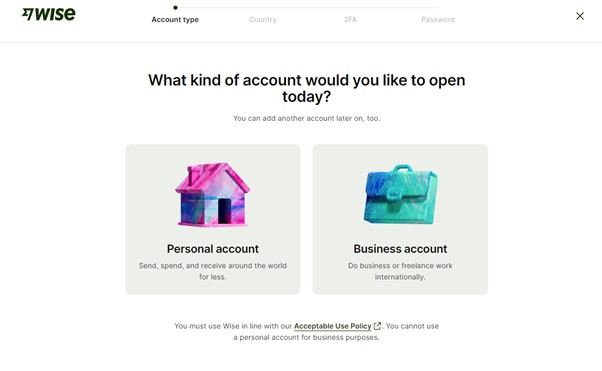
2. Choose either a personal or business account, country of residence and verify the account with your mobile number.
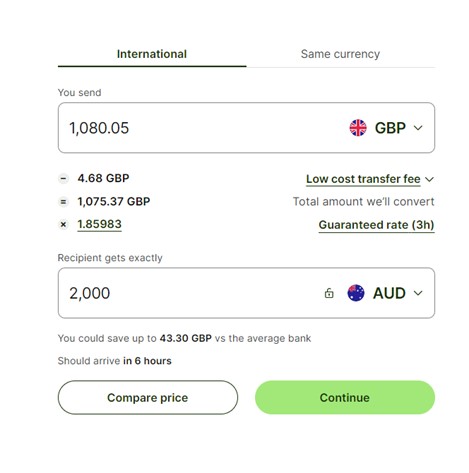
3. Enter the transfer amount in Australian Dollars (AUD).
You must ensure the 'Recipient gets' is in AUD and equals the exact amount of your application in AUD. You may need to transfer additional funds to cover your exchange rate and transfer fees.
Please note: If we do not receive the exact application amount in AUD, your application will not be successful, and you may have to transfer additional funds and incur additional fees.
Ensure you are transferring funds from your home country currency to Australian Dollars. Select 'Continue.'
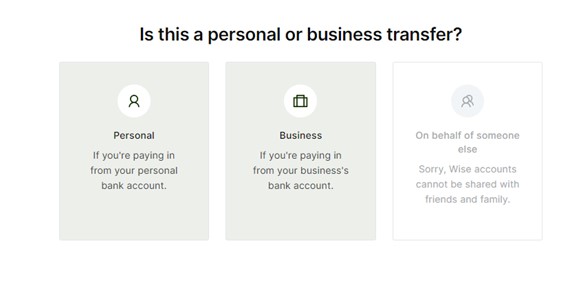
4. Select personal or business transfer
If you are paying from your personal account, please select “Personal”. If you are paying from a business account, please select “Business”.
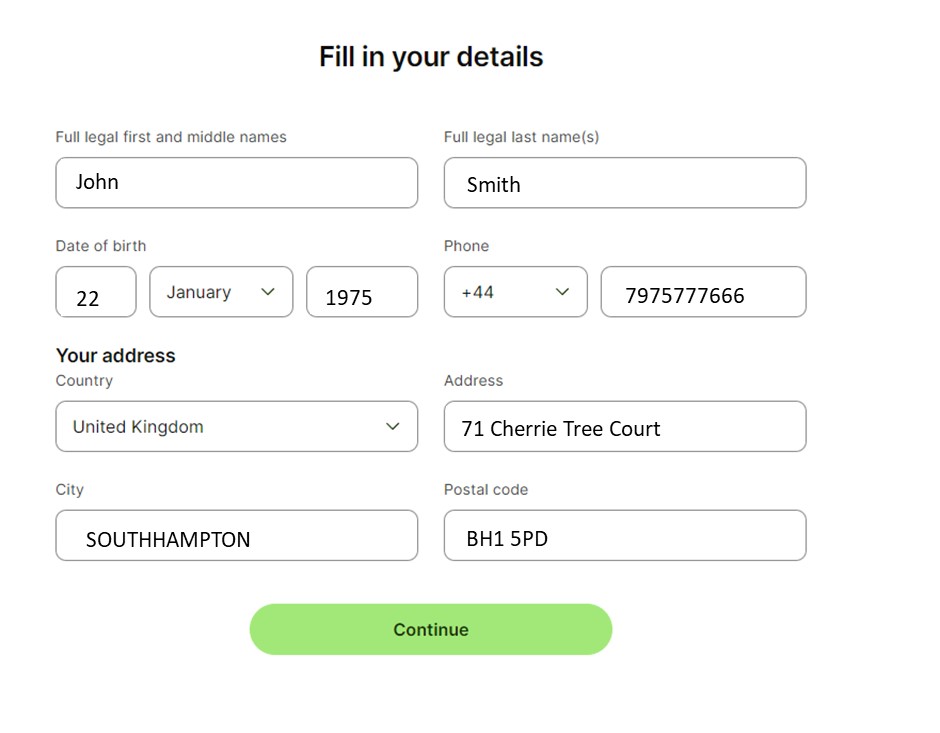
5. Fill in your personal (or business) details and click 'Continue.'
Below is an example of personal details.
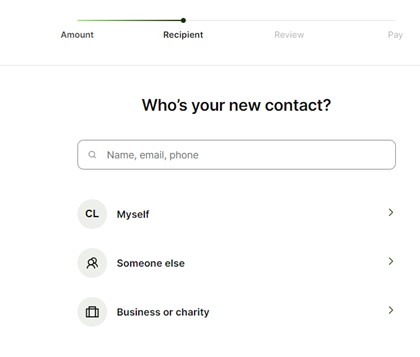
6. Choose “Business or Charity” as your new contact.
If you have made payments through Wise previously, please ensure you choose New Contact each time.
7. Tick ‘I know their bank details’ and select Bank Details. Enter the Bank Details.
When entering our account details, please ensure you supply the reference as per the payment page.
Your payment details, including our BSB, Account Number and your unique Reference, for your application can be found in the Bid History tab on the OnMarket website or app.
Choose Bank details
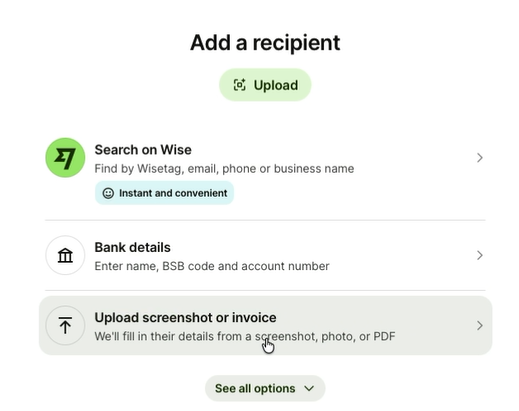
8. Enter OnMarket's BSB and Account Details as shown on your application.
Tick the box, and select “Confirm and Continue”.
9. Confirmation
You will receive a confirmation email from Wise when your payment has been processed by them. You will also receive a confirmation from OnMarket when your payment has successfully cleared in our account.
Need help?
For any queries on how to complete your payment using wise, please contact OnMarket support at support@onmarket.com.au.